

 English
 Deutsch
English ✓
Content › Field Functions
Create a new Field Function
To create a new field function, click “Create Field Function” at the top right; to open an existing field function, use the edit icon. The editing form appears on the right-hand side of the screen.
You can enlarge the page by clicking the square icon (next to the cross) at the top right. To return to the original size, click this button again.
Enlarge button
In the editing form, you enter all parameters for the field function:
- Specify a name for the Field Function: here you assign a unique name to the new field function.
- Choose a template for your field function: in this drop-down list, you can select and edit field functions that have already been created.
- Enter a description for the Field Function: always enter a meaningful description of the field function so that users understand what it does.
- Template Code: here you write the field function in the template language Handlebars. Placeholders are enclosed in double curly brackets; fields from the customer data schema begin with “customer.”, e.g. {{customer.Vorname}}. Use “Insert function template” to insert example functions.
- Data: here you enter the test data in JSON format used to test the field function. Use “Insert data template” at the top right to insert a data template.
- Render Output: after you click “Render preview”, the result of Template Code and Data is shown here, either as “Markup” or “Preview”.
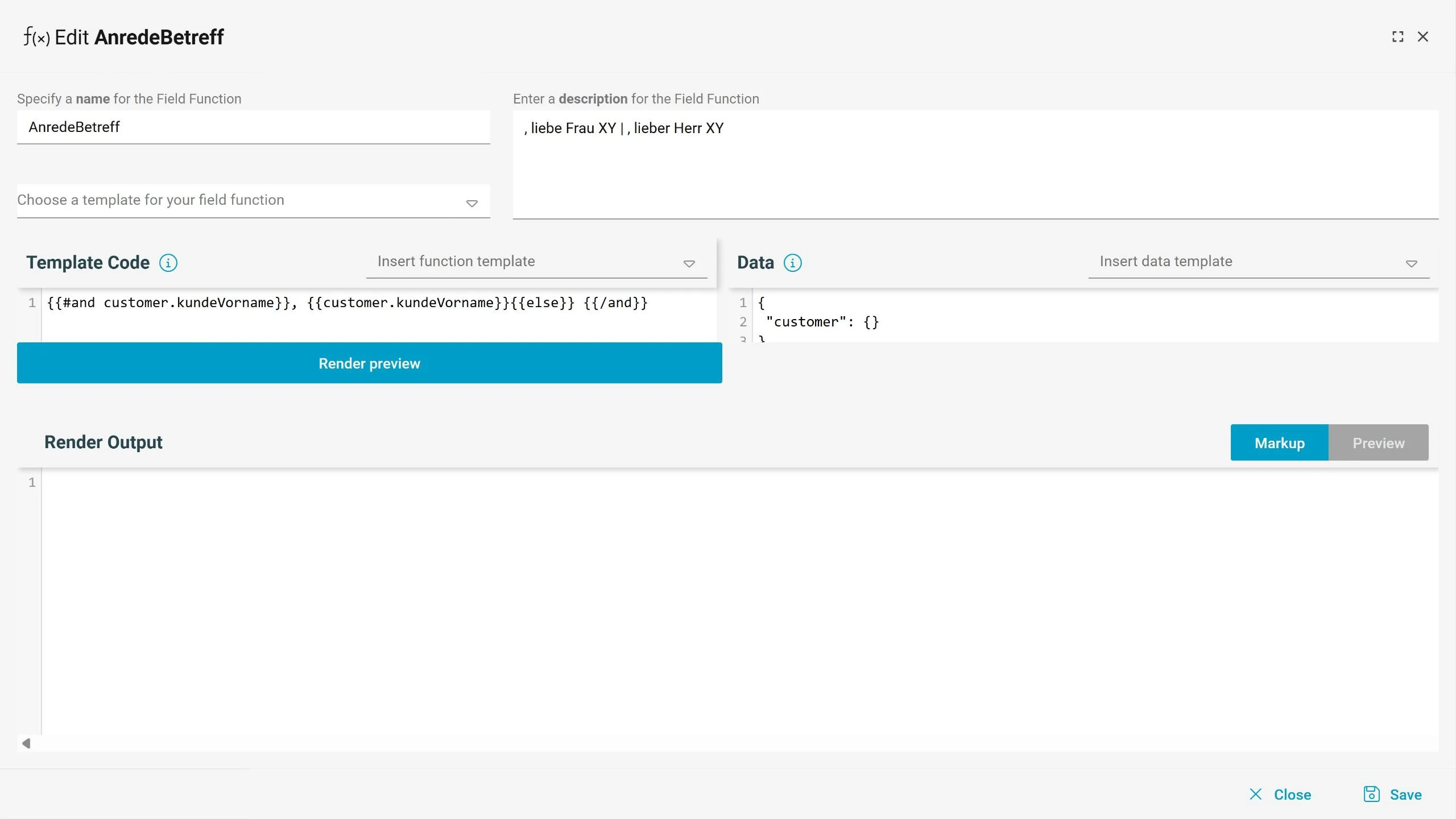
Form for editing a Field Function
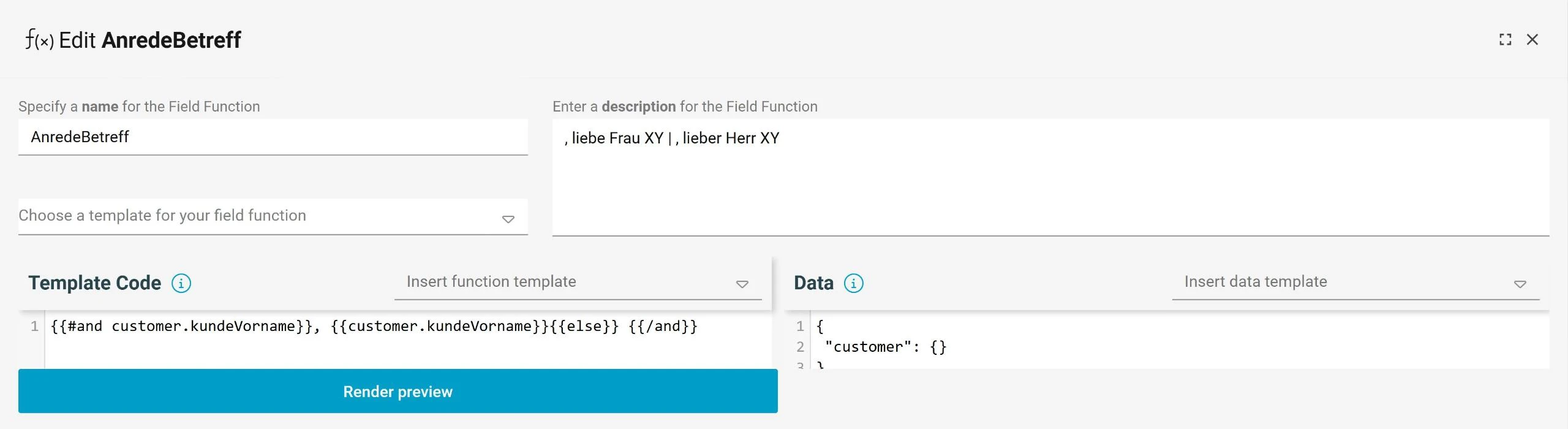
Example of a field function “AnredeBetreff”
Use the
 icon after the headings “Template Code” and “Data” to open a help page with instructions on creating a field function:
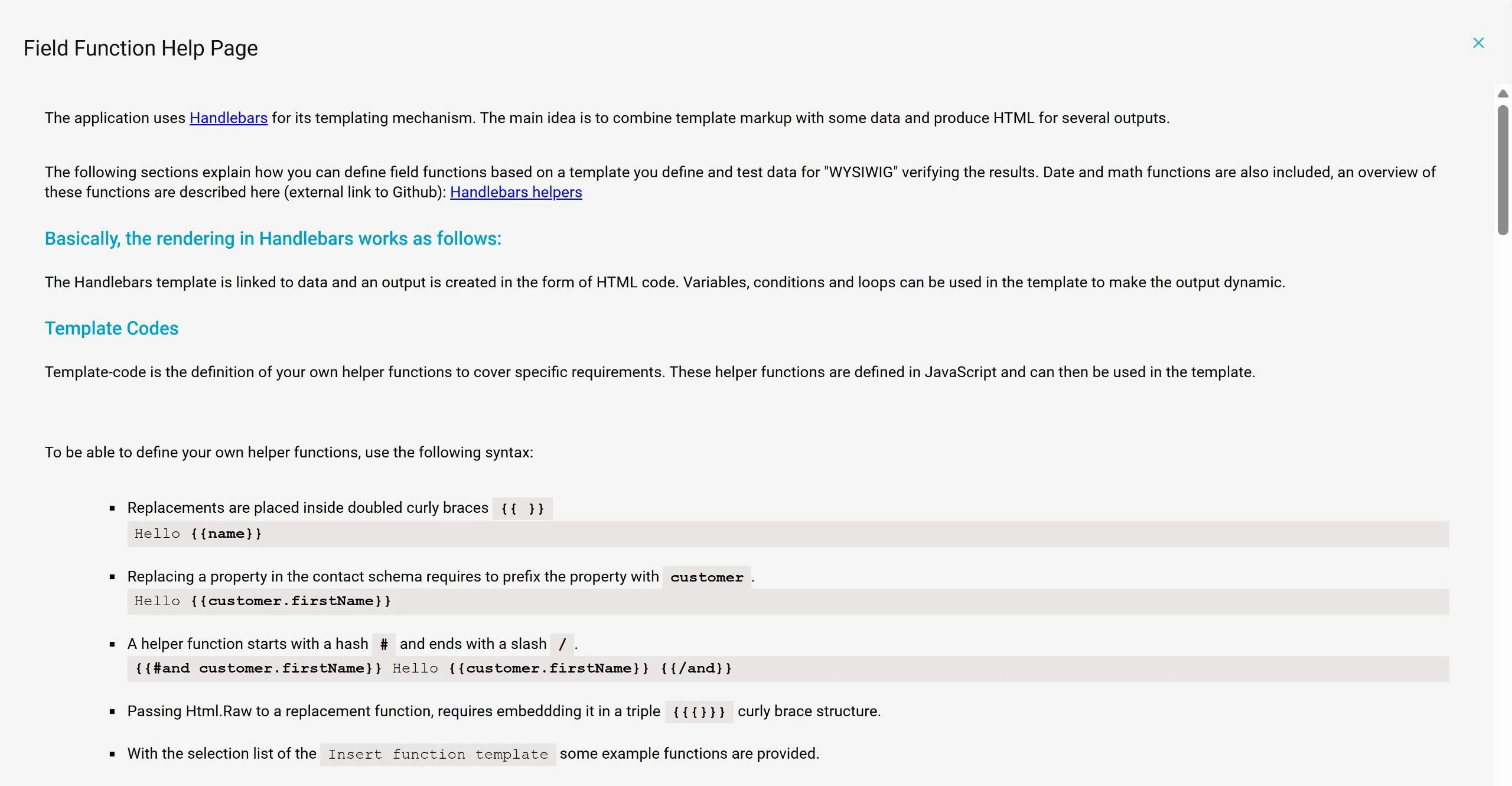
Help page for creating field functions
Note
When you close the form with “Close”, the MAS asks “Leave fieldfunction now?”. “Yes, I’m done” closes the form without saving.




