

 English
 Deutsch
English ✓
Contacts › Edit Contact
Actions
The “Actions” tab is used to manage actions relating to the contact. It is divided into the sections “Tags”, “Subscriptions” and “Workflow Enrollments”.
Tags
Tags let you assign keywords to a contact, e.g. “Newsletter-Fans”. In the “Tags” field, select existing tags from the list; click the ✕ on a tag to remove it again. “Save” applies your changes.
Subscriptions
The “Subscriptions” section shows the newsletter subscriptions of the contact in a table: the name of the newsletter, its channel (Channel – e.g. email), whether the subscription is active (“Is Active”) and whether the DOI1 mailing has been sent (“Send DOI Mail”).
Workflow Enrollments
In the “Workflow Enrollments” section, you can manually enrol the contact in a workflow. To do this, select a workflow from the list under “Enroll”. The “Active” and “Completed” tabs show the running and the completed workflows of the contact.
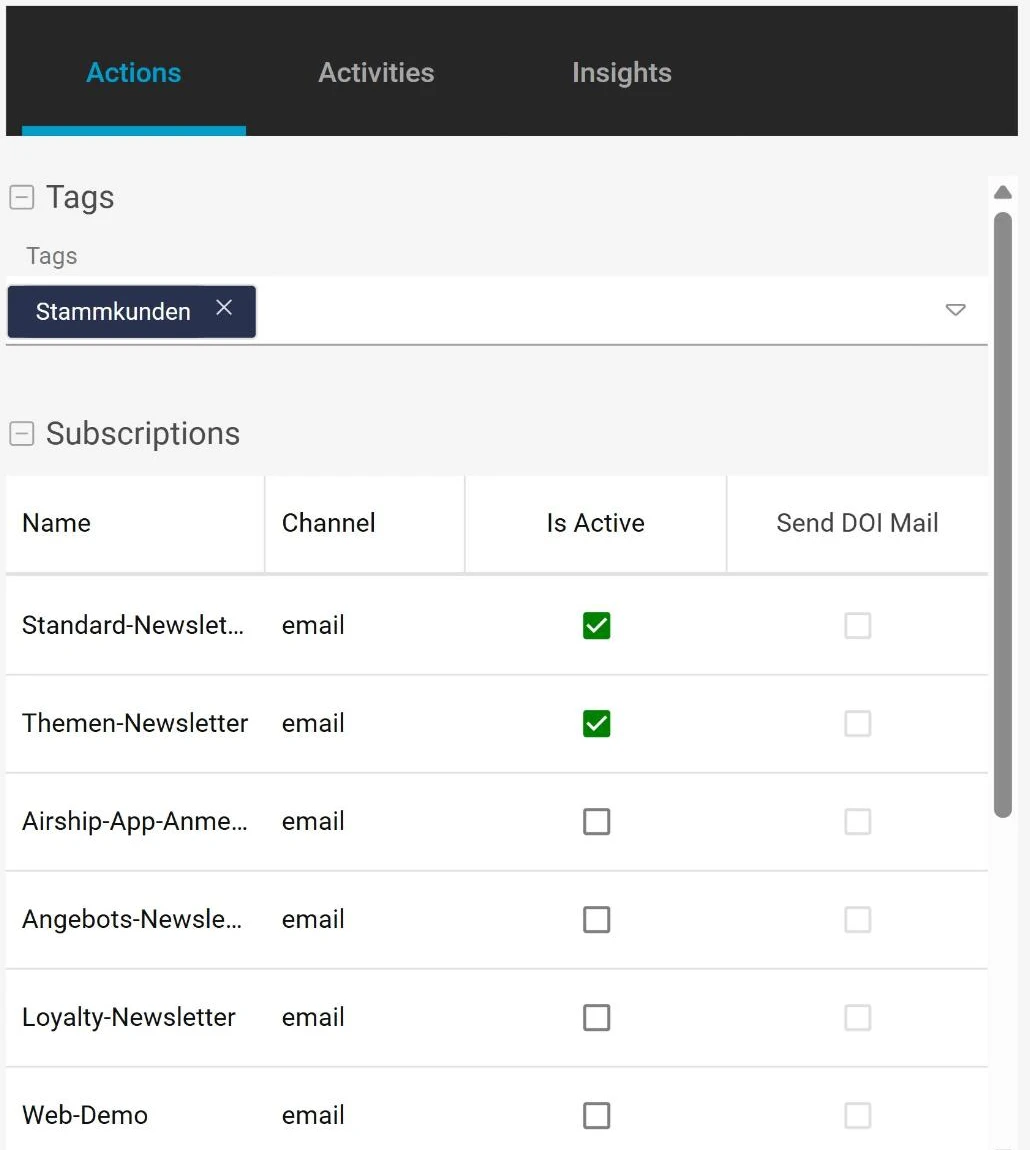
“Actions” tab with Tags, Subscriptions and Workflow Enrollments




