

Marketing Automation Studio

Flag United Kingdom English
Flagge Deutschland Deutsch
Flag United Kingdom English ✓

Campaigns › Emails › Overview › Evaluate the reporting data

Export the reporting data

You can save the reporting data of a mailing using the download icon at the top right of the “Analytics” tab. The results already loaded for the currently active evaluation view are exported. The output format is JSON1; the file contains the format version, the view and the associated results. Exporting as CSV is currently not possible.
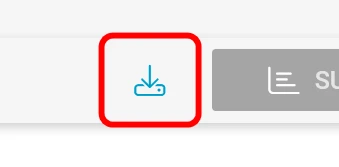
Export of the reporting data

Sources and further reading

Do you have any further questions?

Then feel free to send us an email

Basic information about our services on our website


Marketing Automation

The all-in-one platform for automated dialogue marketing

Agentic AI – Roboter mit Gehirn

Agentic AI

AI agents that take specialist work off your teams

Business Intelligence

Data expertise for precise decisions

Blog

Current articles on Marketing Automation, Agentic AI and Business Intelligence

↑

Schreiben Sie uns

Sie haben eine Frage, eine Anregung oder Feedback zur Online-Hilfe? Wir freuen uns auf Ihre Nachricht. Name, E-Mail-Adresse und die Bestätigung der Datenschutzerklärung sind Pflichtangaben.

Write to us

Do you have a question, a suggestion or feedback about the online help? We look forward to your message. Name, email address and confirmation of the privacy policy are required.

Ihr Feedback

War diese Seite hilfreich? Ihre Rückmeldung hilft uns, die Online-Hilfe weiter zu verbessern.

WordPress Cookie Notice by Real Cookie Banner



