

 English
 Deutsch
English ✓
Content › Templates › Create Template › Preview and test the created mailing
Size and Loading time
The Size and Loading time function lets you view and check the properties of the mailing.
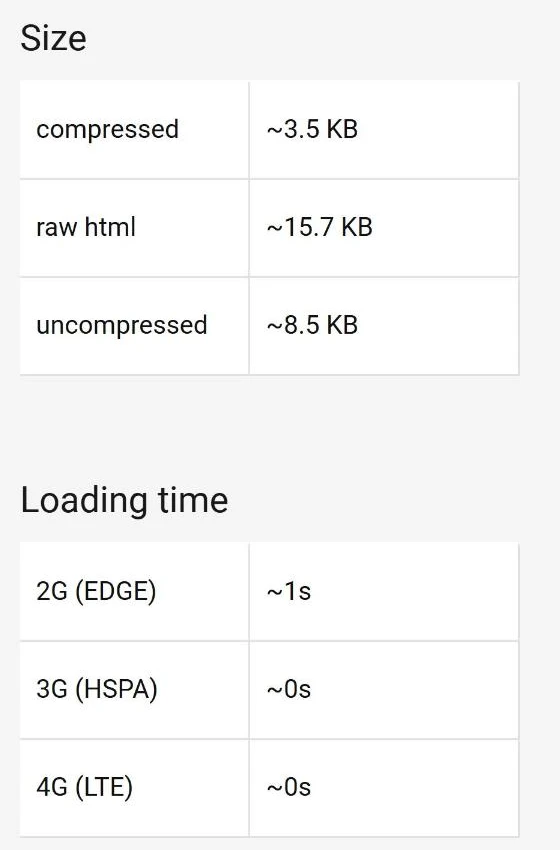
Size and Loading time
- compressed: Size of the mailing in compressed form in KB (kilobytes).
- raw html: This value shows the size of the HTML template. For the email (after sending), the header information is added. This means that the size will increase again.
- uncompressed: This value shows the size of the evaluated mailing data without data compression. It is given in kilobytes (KB). By comparison, “compressed” refers to the size of this data in compressed, i.e. space-saving, form. Both values describe an amount of data, not a loading time.
- Loading time: So that you can estimate how long loading could take when an email is opened, an approximate value in seconds (abbr.: s) is shown. There are currently three possible speeds1: 2G (Edge), 3G (HSPA) and 4G (LTE).




