

 English
 Deutsch
English ✓
Campaigns › Emails › Overview › Evaluate the reporting data
Send Time Optimization (STO)
Not everyone reads emails at the same time: some people check their inbox at 7:30 a.m. on the way to work, others only at 5:30 p.m. after work.
With Send Time Optimization (STO), a mailing is not sent to all contacts at the same time. Each contact receives the email at the time at which they are most likely to open their emails, based on experience.
Switch on STO for a mailing
STO is switched on for each mailing individually. In the mailing form, the “Settings” tab contains the “Enable send time optimization” checkbox in the “Additional Options” section. If the checkbox is ticked, the send time of this mailing is optimised. By default, the option is switched off.
How the MAS determines the send time
When sending, the MAS checks for each contact individually:
- Is STO switched on for the mailing? Only then is the function applied.
- Is a best time known for the contact? For this, the MAS uses existing experience values, e.g. previous email opens.
- Is the best time at least 15 minutes in the future? Then sending is scheduled for exactly this time on the sending day. Otherwise, the email is sent immediately as normal.
STO never postpones sending to the next day. All emails go out on the scheduled sending day. The time zone used is German time (Europe/Berlin).
Lead time of two minutes
It takes a little time between handing an email over for sending and its arrival in the inbox. That is why the MAS starts sending 2 minutes before the determined best time by default.
Examples
Examples of the send time with STO
What STO can do
STO makes sure that emails are sent at the best possible time. However, STO cannot guarantee that an email arrives in the inbox at an exact minute:
- Delivery route: The email is created, routed via servers and must be accepted by the recipient’s email provider, e.g. GMX, Web.de, Google or Microsoft.
- Security and spam checks: Receiving mail servers often check emails in queues before delivery. This can delay arrival by a few minutes.
- Reactions: Even the best send time does not guarantee that the recipient opens the email or clicks links.
Send times in the evaluation
In the “Analytics” tab, the “Performance” section shows at what times the emails were delivered, opened and clicked. After sending, this lets you see how deliveries were spread over the day (see “Evaluate the reporting data”).
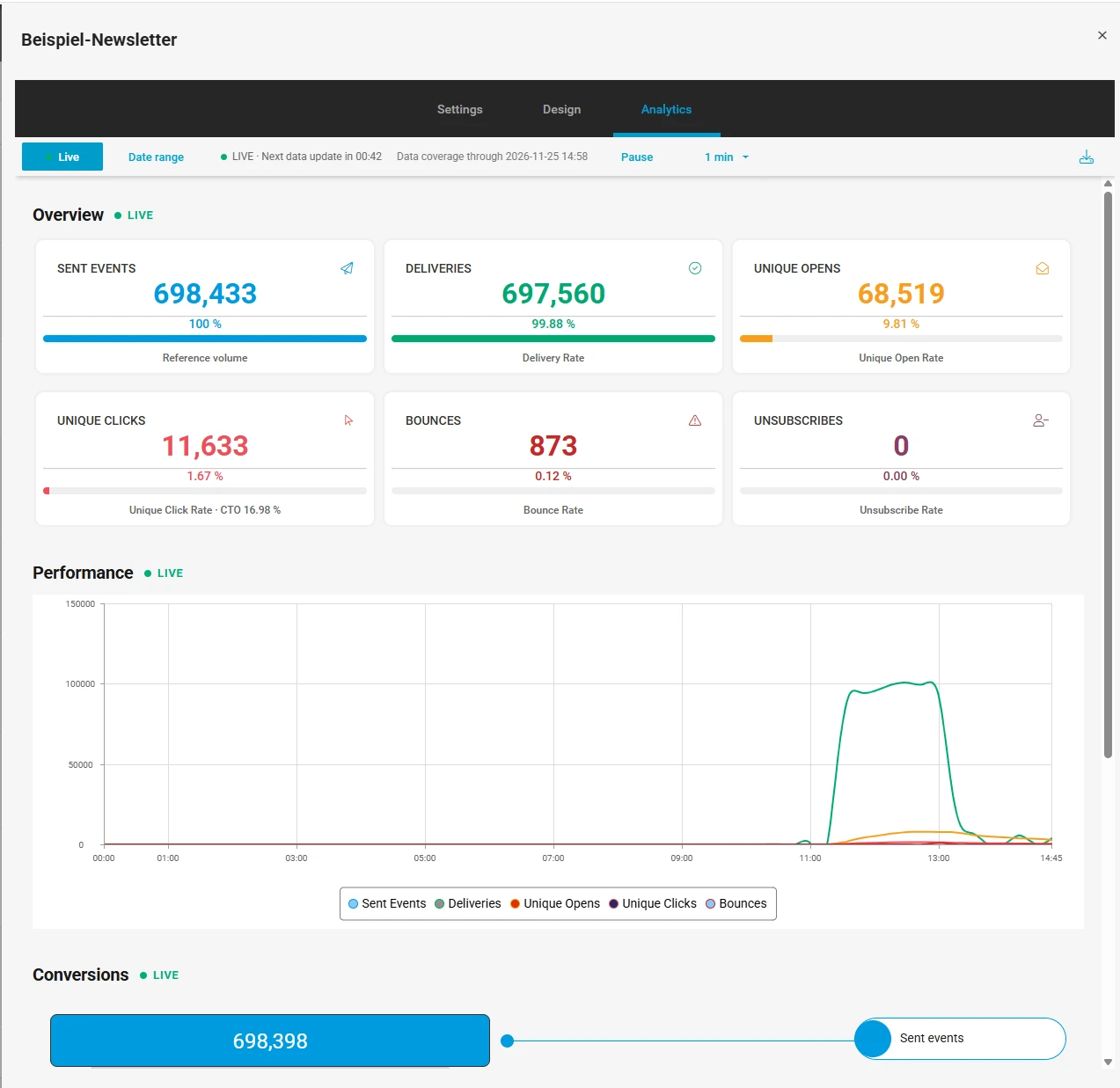
Live evaluation of a mailing with the course of deliveries under “Performance”




