

 English
 Deutsch
English ✓
Content › Assets › Image files
Find and save free images
If you are missing images on particular topics, this function lets you save images from an image database (free of charge) in the assets and use them later. The licence terms must be observed!
The following image databases are used for this:

Search field for the free image search
Licence information on the use of images
Pixabay, Unsplash and Pexels provide images that can be used free of charge under their respective licence terms. In principle, this also includes use in commercial newsletters and other marketing materials.
However, the images are not “rights-free”. Before use, check the licence terms and restrictions that apply to the selected image. Additional rights and consents may have to be taken into account for identifiable persons, brands, logos or works of art. Certain uses are expressly excluded by the platform terms.
Do not use images in a way that falsely gives the impression that a person or brand depicted supports your company or recommends your products.
Observe any additional requirements regarding attribution. Different terms may apply to special offers such as Unsplash+ and to linked content from other providers.
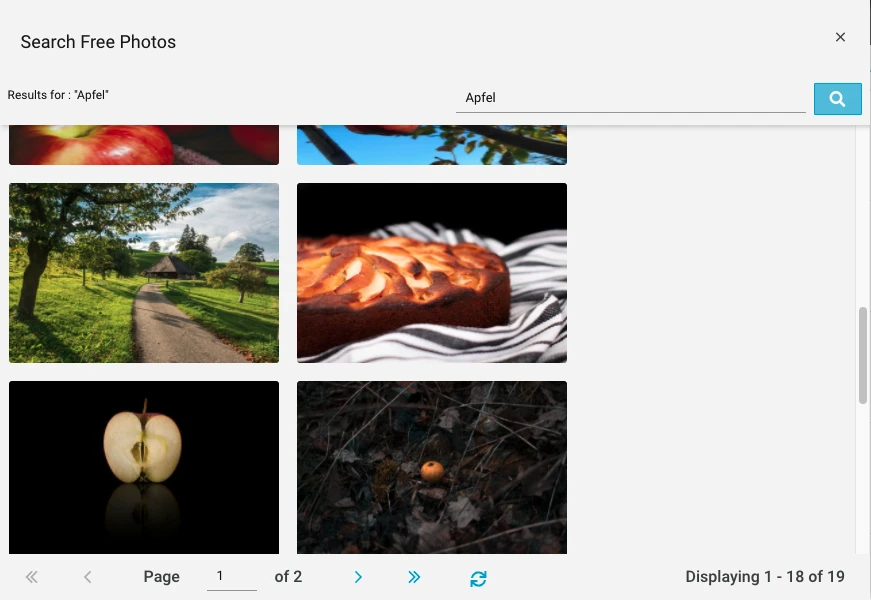
Example in the free image search with the word “Apfel” (apple)
To save an image in the assets, move the mouse pointer over the selected image. An “Import” button now appears. Clicking it saves the image to the assets immediately.

Importing a free image
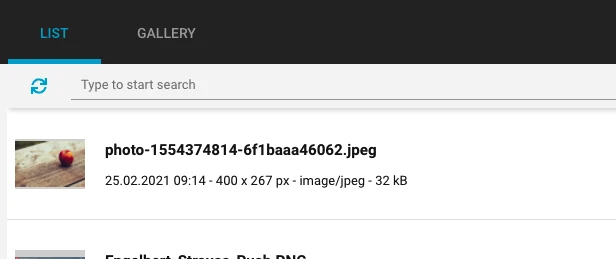
Storing a free image
To delete an image from the assets, click the bin icon. A confirmation prompt then appears asking whether the image file should really be deleted from the assets. After you confirm with “YES”, the image is no longer available. If you clicked by mistake, click “CANCEL” in the confirmation prompt. The image is then not deleted.
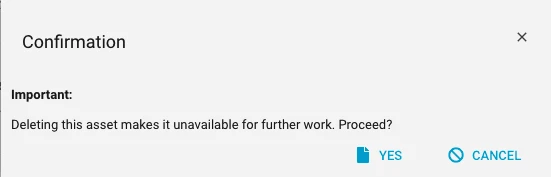
Confirmation prompt before an image is permanently deleted from the assets
Sources and further reading
1 Pixabay: https://pixabay.com/ ↑ back
2 Unsplash: https://unsplash.com/ ↑ back
3 Pexels: https://www.pexels.com/ ↑ back




