

 English
 Deutsch
English ✓
Content › Templates › Create Template › Create an initial template
Full Width & Group Columns
The “Full Width” and “Group Columns” (stacking function) checkboxes provide the following functions:
- Full Width: Within the layout block, the “Full Width” function lets you fill the entire width of the layout with a colour or a divider. To display a colour across the entire body, select a colour under “Background-Color” within the content block. The colour is then displayed inside and outside the content block. The same applies to the “Divider” content block, which can be displayed across the full width.
- Group Columns: “Group Columns” defines how the columns of a layout block are arranged in the mobile view. Note the following rule: if you activate “Group Columns”, the columns in the mobile view are not stacked on top of each other but remain side by side, as shown in the desktop view.
Caution
There is one single exception when using “Group Columns”: with the four-column layout block, the mobile view turns it into two two-column blocks. In the desktop view this naturally has no effect.

Four-column image block, desktop view
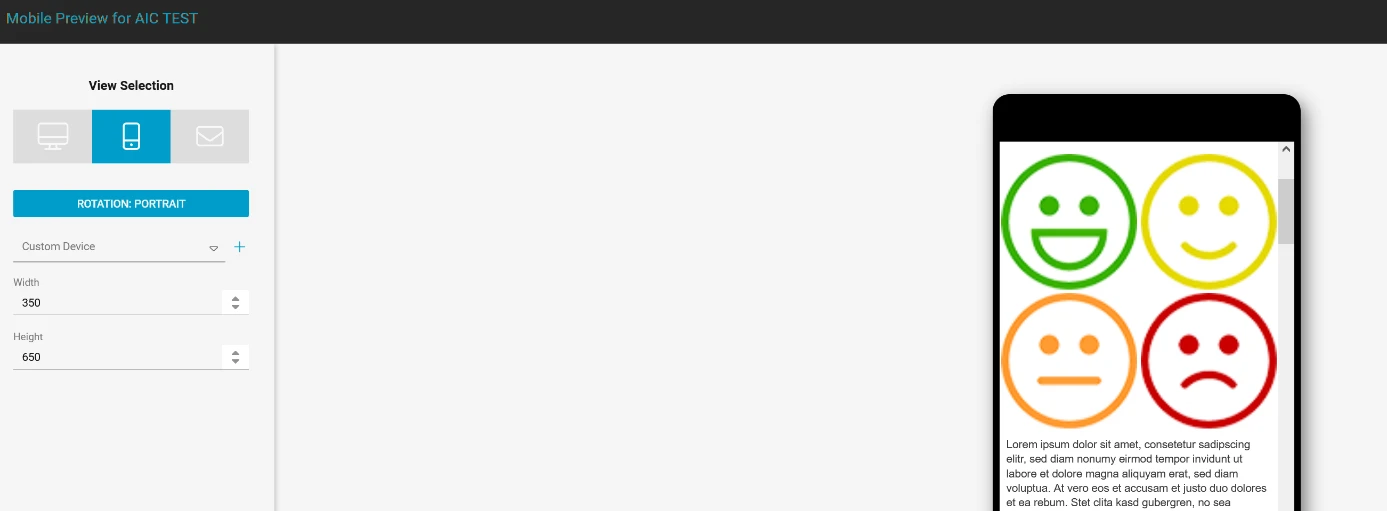
Four-column image block with the “Group Columns” function activated in the mobile preview
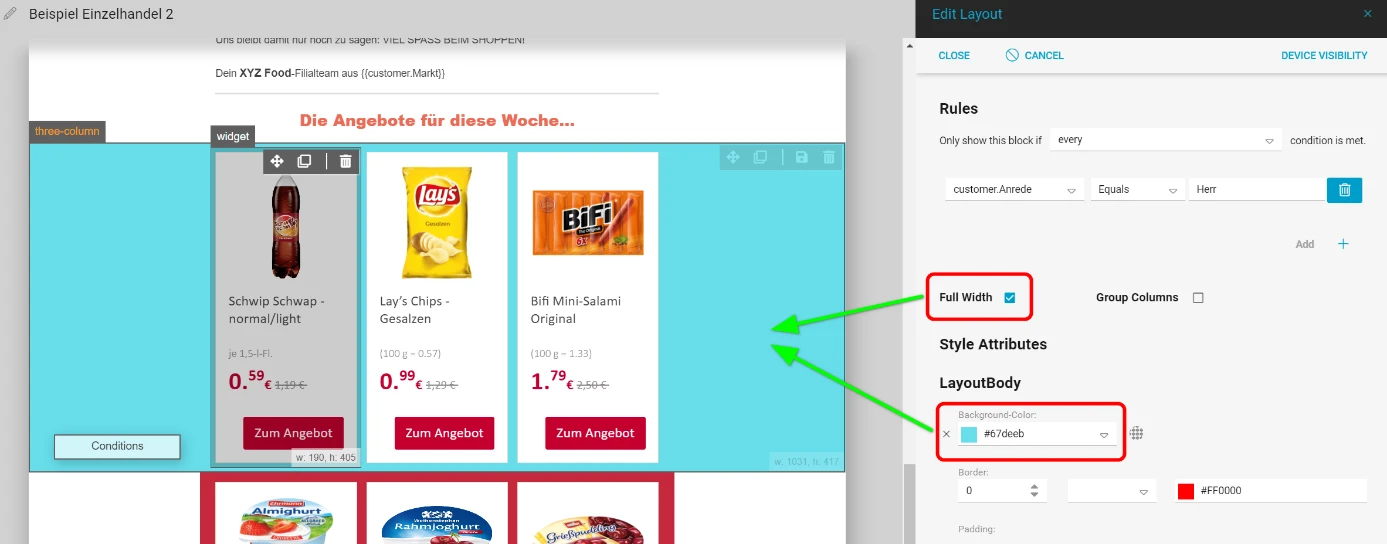
Coloured background via Full Width & Background-Color




