

 English
 Deutsch
English ✓
Content › Templates › Create Template › Create an initial template
Style Attributes
Under the heading Style Attributes you can make the following settings:
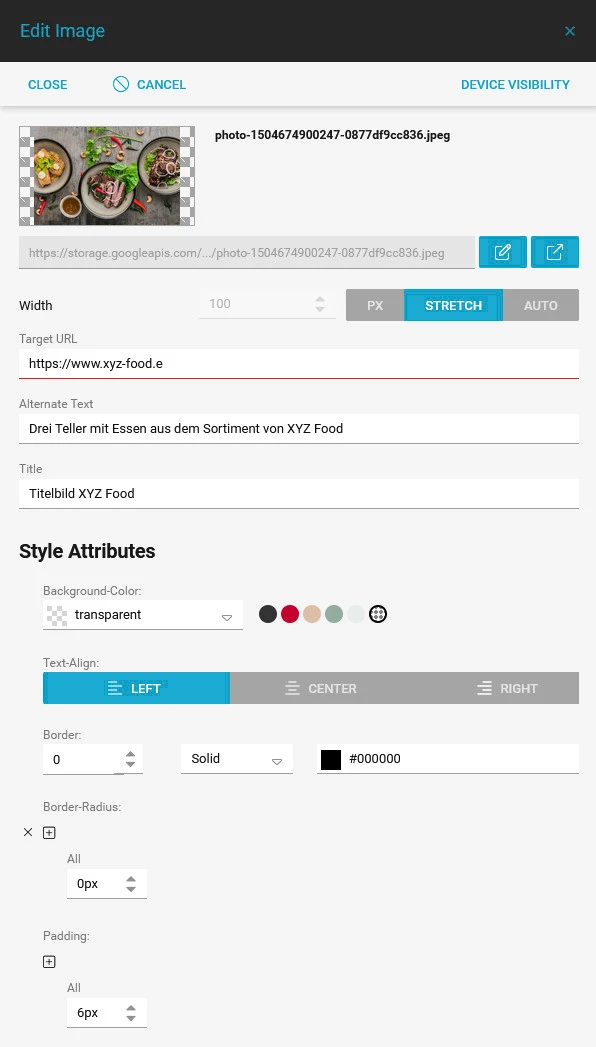
Style Attributes
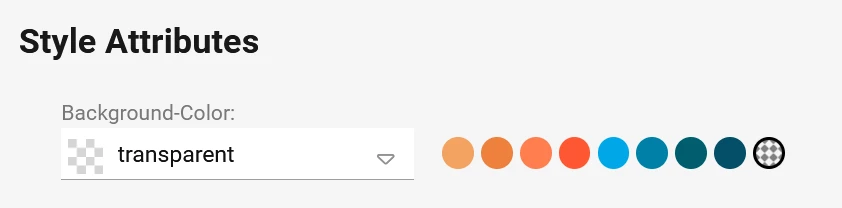
Predefined Main Colour Selection (colour palette) in the Style Attributes
The colour codes for the Main Colour Selection palette must be provided to the AIC Group when applying for the MAS.
layoutBody
- background-color: By default, the hexadecimal code (abbr. HEX) #FFFFFF (colour: white) is stored in the selection list. You can change it by entering a value (hexadecimal, RGB or HSV (A))1 in the lower bar of the selection box or by placing the dot in the colour field. “OK” confirms the colour selection. With the “Cancel” button the colour value is not applied. You can also create a Main Colour Selection (colour palette) for quick use of, for example, corporate identity colours.
- “Transparent” checkbox: No background colour is set. The background is displayed transparent.
- Border : Here you can set the shape, style and colour of the border of the layout frame.
- Border Radius: The “Border-Radius” function lets you round the corners of a layout block in pixels (px). You can set this either per corner (Top-Left/Top-Right & Bottom-Left & Bottom-Right) or for all corners via “All”. The maximum value here is 64 px and the minimum value 0 px. Negative values cannot be used. To achieve the rounded effect of a layout block, a coloured background must be included (see Figure “Rounded corners of a layout block with a coloured background”).
The border radius can also be adjusted for the “Button” content block (the maximum value here is 16 px) and the “Image” content block (see Figure “An image block with rounded corners and one square corner”) (the maximum value here is 256 px). The other content blocks have no border radius setting.
- Padding2: This field defines the inner spacing between the content of a layout and the edge of its own layout block. You can adjust it individually in pixels (top, bottom, right and left).
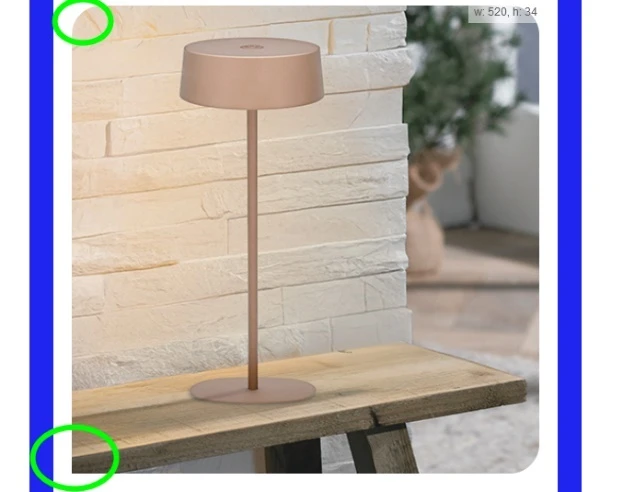
An image block with three rounded corners and one square corner
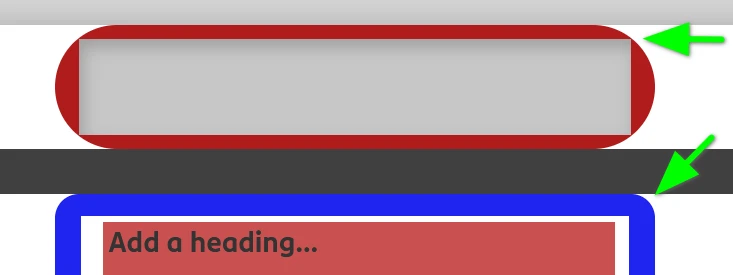
Rounded corners of a layout block with a coloured background
Sources and further reading
1 see: HSV colour space: https://de.wikipedia.org/wiki/HSV-Farbraum RGB colour space: https://de.wikipedia.org/wiki/RGB-Farbraum Hexadecimal colour definition: https://de.wikipedia.org/wiki/Hexadezimale_Farbdefinition ↑ back




