

 English
 Deutsch
English ✓
MAS - Administration › Data Schemas
Data Schemas
The “Administration › Data Schemas” area is intended primarily for the MAS administrator.
This is where you create the data schemas for contacts (“Contact” tab) and for articles (“Article” tab).
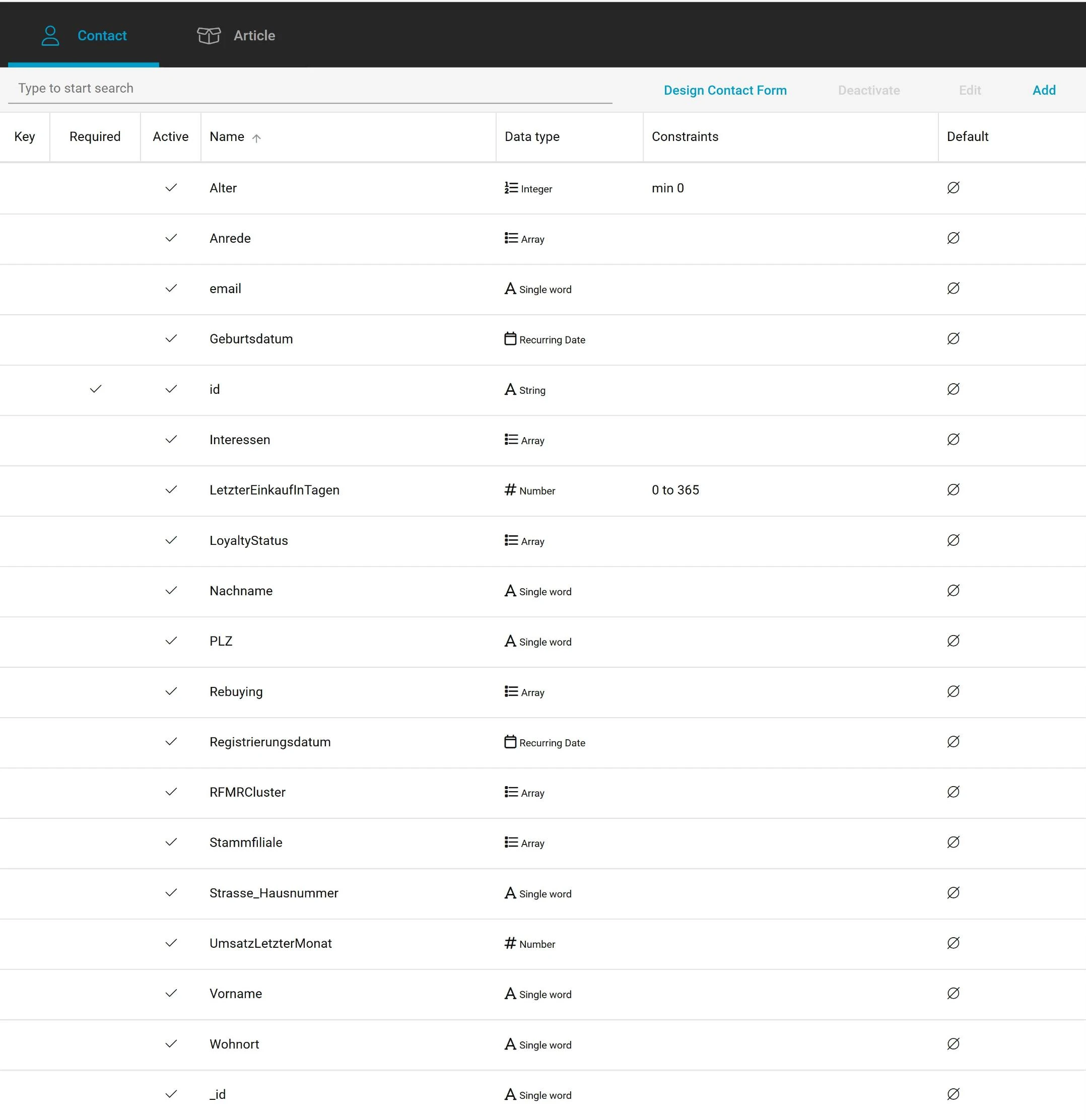
Data Schemas under “Administration” with the “Contact” and “Article” tabs
Topics in this chapter
Article
Define validation and mandatory fields for offers.
Frequently asked questions
What is the “Administration › Data Schemas” area for?
This is where the data schemas for contacts (“Contact” tab) and for articles (“Article” tab) are created. The area is intended primarily for the MAS administrator. Read more ›
How do I add a new field to the customer data schema?
In the “Contact” tab, click “Add”; the “Add Customer Field” form opens with display name, Property Name, Semantic Description, options and data type. “OK” creates the field. Read more ›
Why should the customer schema match the production schema?
Only with a 1:1 copy of field names and data types can a correct test be carried out, e.g. sending with different characteristics or conditions. The schema is reflected in the test recipients under “Preview & Test”. Read more ›
What does the “Unique” setting do for a schema field?
If “Unique” is activated, a value may occur only once across all contacts. One example is a “CustomerID” field. Read more ›
What is the Article schema used for?
In the “Article” tab, you create the data schema for articles or offers. It is used for the Dynamic Layout and for customer-specific offer widgets. Read more ›




