

 English
 Deutsch
English ✓
Content › Templates › Create Template › Create an initial template › Block: Content
Content-Block: Text
“Text” button
With the “Text” content block, texts in a wide variety of forms can be integrated into a template. There are also two useful functions (data fields & field functions) that make the delivery of an email even more individual.
This editor is a WYSIWYG editor that gives you a good visual way of creating content.
 opens a further submenu.
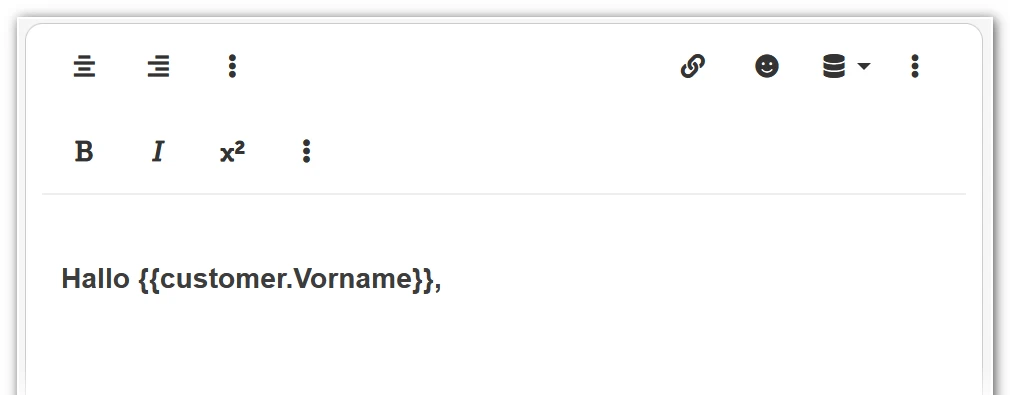
Editing the text field
Topics in this chapter
Text editor functions
All icons and formatting options in the upper area of the text editor.
Edit hyperlinks
Insert, design and edit links.
Advanced menus: More Rich, More Paragraph and More Text
Further functions in the submenus of the text editor.
Datafields and Field Functions
Personalise texts with database fields and field functions.
Tables in the text field
Insert and edit tables – and why caution is advised.
Code View and shortcuts
Edit text directly in the HTML code and work with keyboard shortcuts.
Display in Outlook and pasting from Word
Line height in Outlook and formatting when pasting from Word.
AI text generator
Correct, shorten, expand or change the tone of texts with artificial intelligence – with examples.




