

 English
 Deutsch
English ✓
Content › Templates › Create Template › Create an initial template
Device Visibility
To display a mailing on different devices, the MAS can deliver different content for the “Desktop” and “Mobile” view types.

“DEVICE VISIBILITY” button
A header image contains many small details that are easy to see on a normal computer screen. However, this image is not suitable for the mobile view on a smartphone and is to be shown as a crop of the desktop image. To do this, both images are integrated into the template and each is marked with the MAS function.
To show one view each for desktop and mobile in the template, create 2 images that are suitable for delivery.
Insert these images into the mailing using the Image content block (see “Content-Block: Image”). Then click the background next to the inserted image in the editing area on the left. The “Edit Layout” mask appears, with the “DEVICE VISIBILITY” button at the top right.
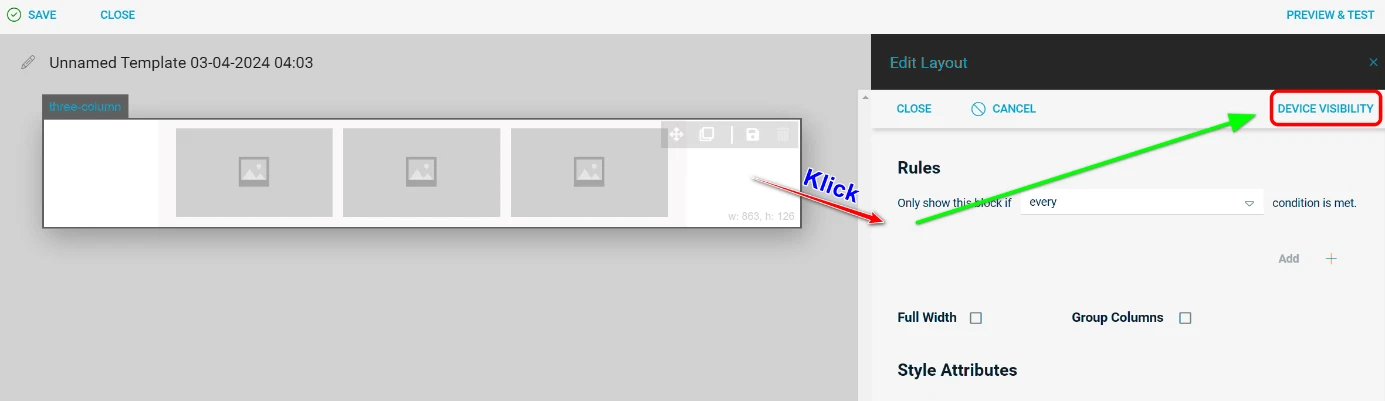
Path to the “DEVICE VISIBILITY” function
To configure an image for the desktop or the mobile view, click this button for the respective image.
Tick the “Desktop” checkbox for the desktop image. A small blue monitor icon then appears. This indicates that this image is only shown in the desktop view.

Checkbox for the desktop view

Layout view with Device Visibility icons
Repeat the same procedure for mobile delivery. Instead of a monitor icon, a smartphone icon is shown here.

Checkbox for the mobile view
By default, both checkboxes are always ticked.

Default setting for “Device Visibility”
You can now check the configured values using “Preview & Test” (see “Preview and test the created mailing”). To do this, simply click the buttons for the desktop and mobile view in the View Selection. The preview on the right shows the delivery logic configured beforehand.

Desktop view in the View Selection
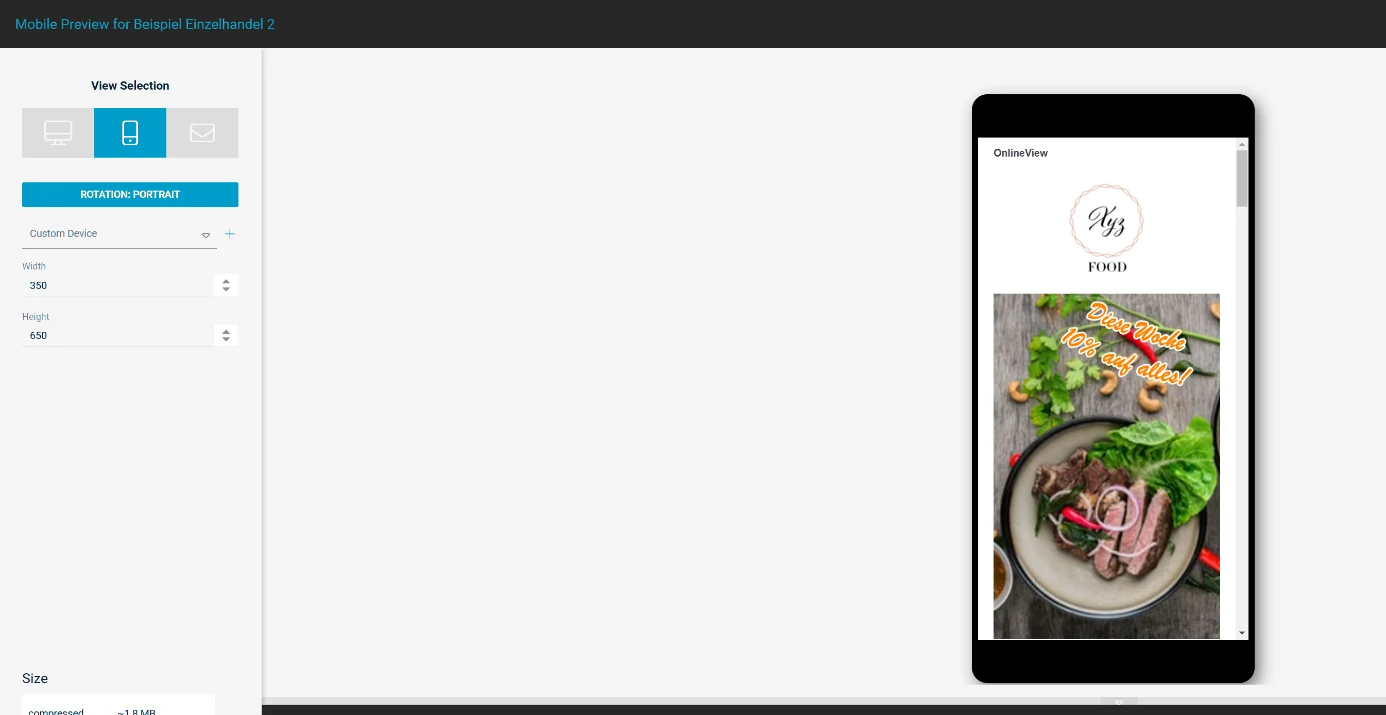
Mobile view in the View Selection




