

Marketing Automation Studio

Flag United Kingdom English
Flagge Deutschland Deutsch
Flag United Kingdom English ✓

Content › Templates › Create Template › Create an initial template › Block: Content › Content-Block: Text

Code View and shortcuts

The “Code View” function, which you can find in the menu under the three-dots menu, lets you edit the text using HTML code.

This function lets you, for example, use a non-breaking space in the text editor.

“Code View” in the text editor

If, for example, a price plus currency symbol (e.g. € or $) is not to be wrapped, you can achieve this with the following code in the source code area of the text editor:   (ampersand/nbsp/semicolon).
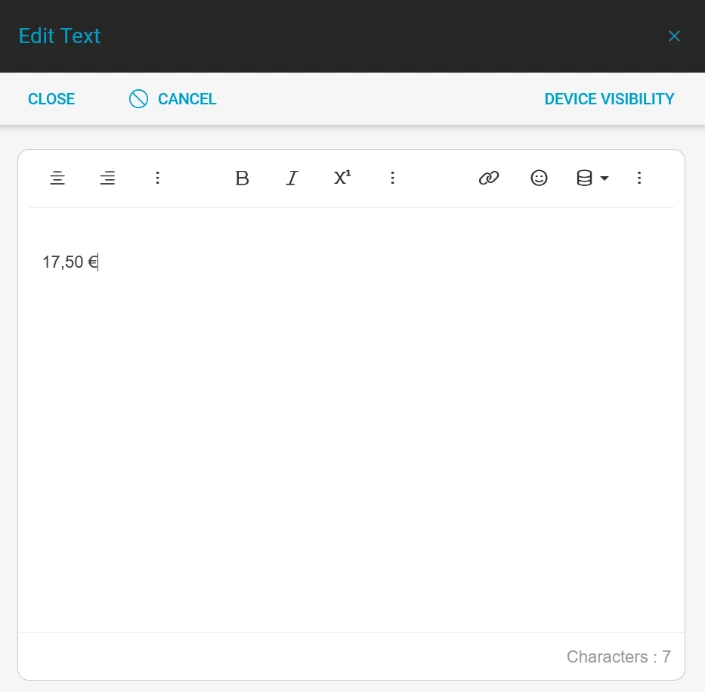
Text editor in normal view
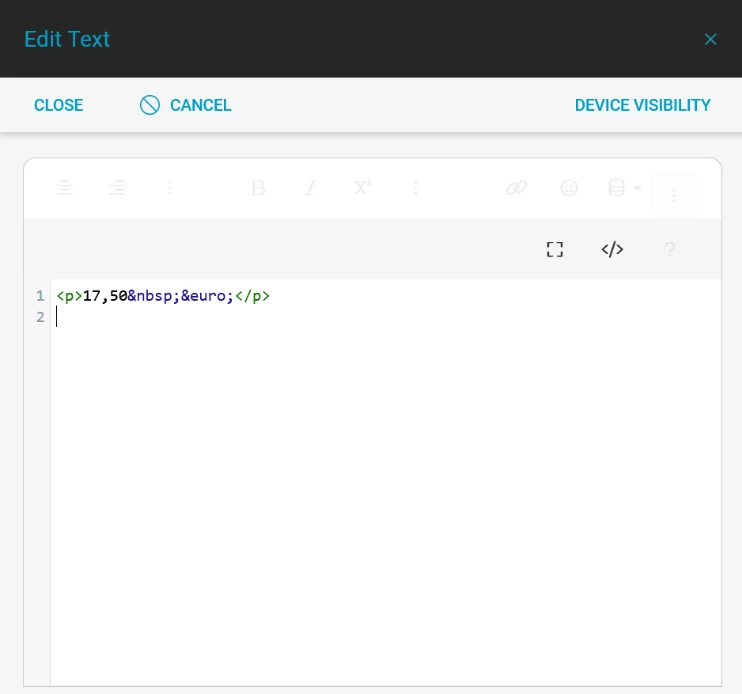
Text editor in code editing mode

Caution

The code function should only be used by experienced users who are familiar with HTML. Otherwise, modifying the code can lead to errors in the delivery and display of the content. A major source of errors here is responsiveness, which could be damaged by a change.

In the text block you can also work with shortcuts, i.e. keyboard shortcuts. The following table lists all shortcuts with their function. In the MAS, this list can be called up via the question mark icon (“?”) in the toolbar. After you click it, a popup opens.

Inline Editor
Show the editor
Ctrl + E
Common actions
Copy
Ctrl + C
Cut
Ctrl + X
Paste
Ctrl + V
Undo
Ctrl + Z
Redo
Ctrl + Shift + Z
Insert Link
Ctrl + K
Insert Image
Ctrl + P
Basic Formatting
Select All
Ctrl + A
Bold
Ctrl + B
Italic
Ctrl + I
Underline
Ctrl + U
Strikethrough
Ctrl + S
Increase Indent
Ctrl + ]
Decrease Indent
Ctrl + [
Quote
Increase quote level
Ctrl + '
Decrease quote level
Ctrl + Shift + '
Image / Video
Resize larger
Ctrl + +
Resize smaller
Ctrl + -
Table
Select table cell
Alt + Space
Extend selection one cell
Shift + Left/Right arrow
Extend selection one row
Shift + Up/Down arrow
Navigation
Shortcuts
Ctrl + /
Focus popup / toolbar
Alt + F10
Return focus to previous position
Esc

Overview of shortcuts

Question mark icon in the text editor

Do you have any further questions?

Then feel free to send us an email

Basic information about our services on our website


Marketing Automation

The all-in-one platform for automated dialogue marketing

Agentic AI – Roboter mit Gehirn

Agentic AI

AI agents that take specialist work off your teams

Business Intelligence

Data expertise for precise decisions

Blog

Current articles on Marketing Automation, Agentic AI and Business Intelligence

↑

Schreiben Sie uns

Sie haben eine Frage, eine Anregung oder Feedback zur Online-Hilfe? Wir freuen uns auf Ihre Nachricht. Name, E-Mail-Adresse und die Bestätigung der Datenschutzerklärung sind Pflichtangaben.

Write to us

Do you have a question, a suggestion or feedback about the online help? We look forward to your message. Name, email address and confirmation of the privacy policy are required.

Ihr Feedback

War diese Seite hilfreich? Ihre Rückmeldung hilft uns, die Online-Hilfe weiter zu verbessern.


