

 English
 Deutsch
English ✓
Content › Templates › Create Template
Template overview
The template overview is divided into three columns:
- Template: This column lists all templates created, with thumbnail, name and the time of the last change (“Last Edited”). If no name is assigned, the template is called “Unnamed Template” with date and time.
- Created At: Date and time at which the template was created.

Template overview with the columns “Template”, “Created At” and “Actions”
Note
Before using the MAS, users should agree on a naming convention to create a uniform and clear picture of the templates. For example: Beispiel_Newsletter_20200120 / Beispiel_Infoletter_20200221 / Beispiel_Transactionmail_20210201
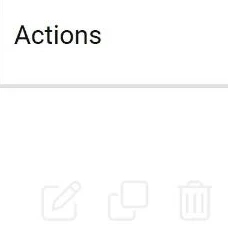
Icons in the “Actions” column: edit, copy and delete
- Actions: At the end of the row are three icons:
- Edit template (pencil icon) - the editing view opens and you can make changes to the template (see also “Create Template”)
- Copy template (two-pages icon) - the selected template is copied in full and shown in the overview with the identical name and the suffix “_copy”
- Delete template (bin icon) - the selected template is deleted irrevocably
At the bottom left you can page through the overview. “Items per page” defines how many templates are displayed per page (the default is 25). At the bottom right you can see which entries are currently displayed, e.g. “Displaying 1 - 25 of 128”.




