

 English
 Deutsch
English ✓
Administration › Data Schemas › Customer
Create a customer data schema
The customer schema here must match the schema used in production. The table headings and data types (String, Number, etc.) should be a 1:1 copy so that a correct test (sending emails with different parameters, e.g. characteristics/conditions) can be carried out.
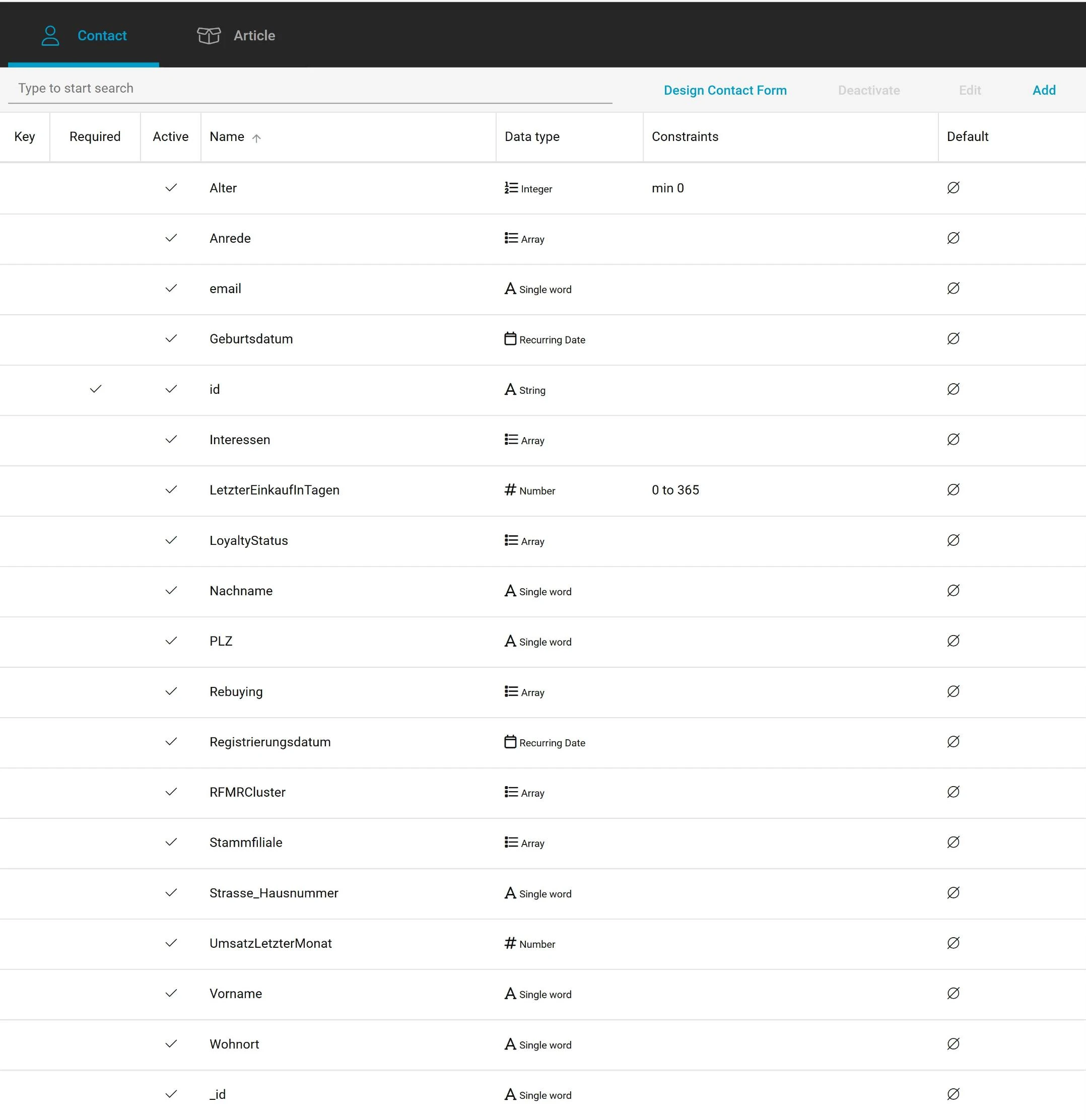
“Contact” tab under “Administration › Data Schemas”
At the top are the buttons “Design Contact Form”, “Deactivate”, “Edit” and “Add”. The table shows the fields with the columns “Key”, “Required”, “Active”, “Name”, “Data type” (e.g. String, Single word, Number, Integer, Array, Recurring Date), “Constraints” and “Default”.
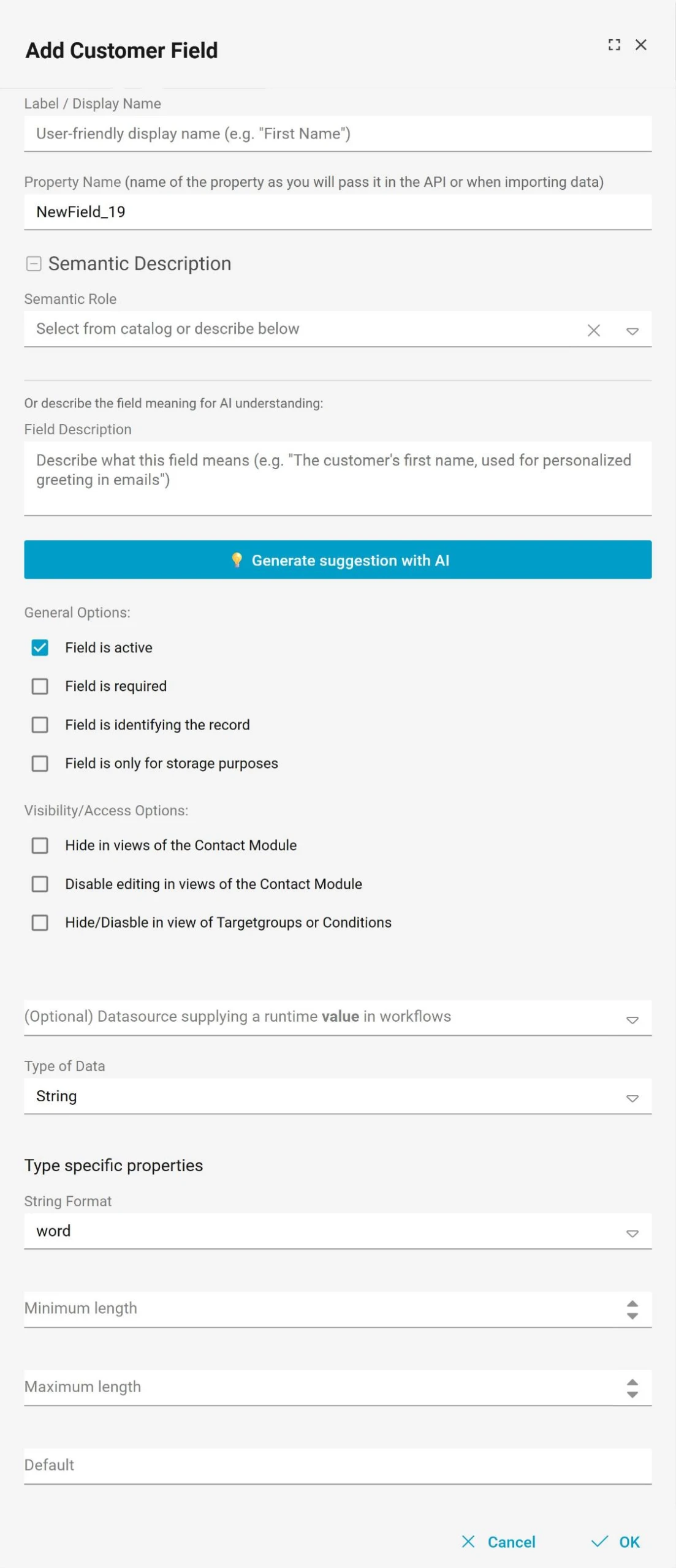
“Add Customer Field” form
“Add” opens the “Add Customer Field” form. It contains the following areas:
- Label / Display Name: displayed name of the field, e.g. “First Name”.
- Property Name: name of the field as used in the API and for data imports.
- Semantic Description: business meaning of the field – selected from a catalogue (“Semantic Role”, e.g. email address) or entered as a free description (“Field Description”). The Semantic Role lets services and assistants find the right field regardless of the technical field name; it is not an access or permission role. “Generate suggestion with AI” creates a suggestion using AI.
- General Options:
- Field is active: the database field can be activated or deactivated here.
- Field is required: the database field is required/not required.
- Field is identifying the record: marks a key field that uniquely identifies the record – where applicable as part of a composite key. Field is only for storage purposes: the field is only stored; it is not available for business use in the modules and is not searchable.
- Visibility/Access Options:
- Hide in views of the Contact Module: the database field is shown/not shown in Contacts (see chapter “Contacts”).
- Disable editing in views of the Contact Module: the database field can/cannot be edited in Contacts.
- Hide/Disable in view of Targetgroups or Conditions: the field is hidden or locked in “Target Groups” and “Conditions”.
- (Optional) Datasource supplying a runtime value in workflows: remote service that supplies the value of the field at runtime in workflows (see “Remote Services”).
- Type of Data and Type specific properties: data type of the field (e.g. String) and type-dependent settings such as “String Format”, “Minimum length” and “Maximum length”.
“OK” creates the field; “Cancel” closes the form without changes.
Fields of the customer data schema
The following overview explains the settings of a customer schema field. Adopt field names, data types and constraints in line with the customer data schema used in production. The examples are for illustration only and are not generally applicable specifications.
without tick = inactive
Overview of the fields in the data schema (Data Schemas)




