

 English
 Deutsch
English ✓
Content › Templates › Create Template › Create an initial template › Dynamic Offers
Assign offers (Assignments)
For the Dynamic Offers of a template to be filled with offers, the offers must be assigned to the dynamic slots in the MAS.
To do this, carry out the following steps:
- The offers (NBO offers) must be stored in the delivering system.
- In the MAS, sort the offers into the dynamic slots by drag & drop in the “Assignments” area.
- The preview on the right now shows (still empty) offer blocks. These are only filled with content during extraction.
- When the assignment is complete, close the area using the “Close” button at the top left. The changes must then still be applied.

Assignments – without assignment

Assignments – with Slot1 assignment
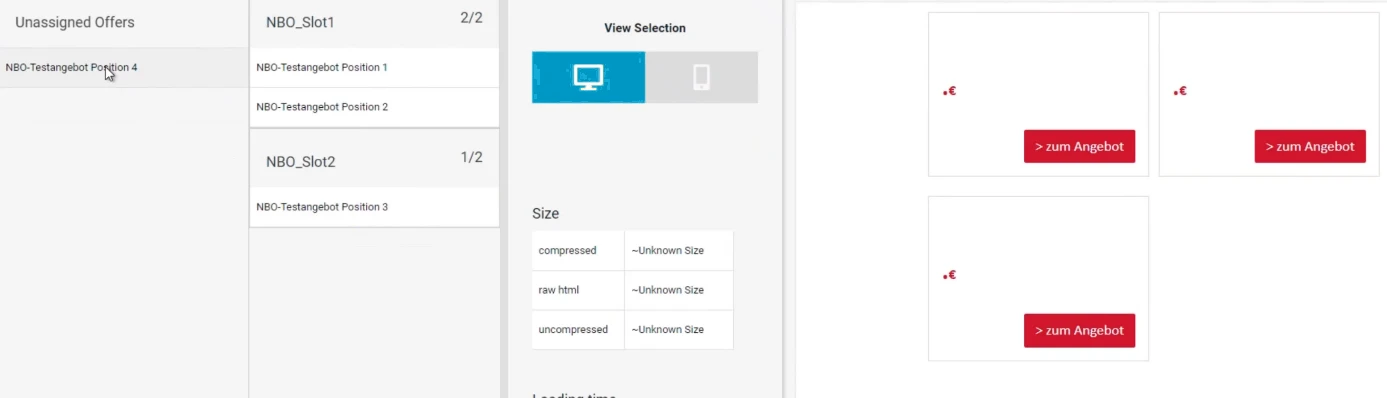
Assignments – with several assignments




