

 English
 Deutsch
English ✓
Workflows
Building blocks: Actions and Flow-controls
The plus icons between two nodes open the “Flow Objects” selection. Use the search field at the top to find a building block quickly.
Actions
- Email: sends an email. The node has its own ON/OFF switch.
- Webhook: calls an HTTP interface.
- Add Tags: adds one or more tags to the contact.
- Remove Tags: removes one or more tags from the contact.
Flow-controls
- Waiter: waits for a specified time (e.g. “3 days”) or until an event occurs.
- Decision Y/N: splits the flow into a yes branch and a no branch according to a rule.
- Decision Split: splits the flow into several branches according to rules.
- One Time Pass: lets a contact pass through this node only once.
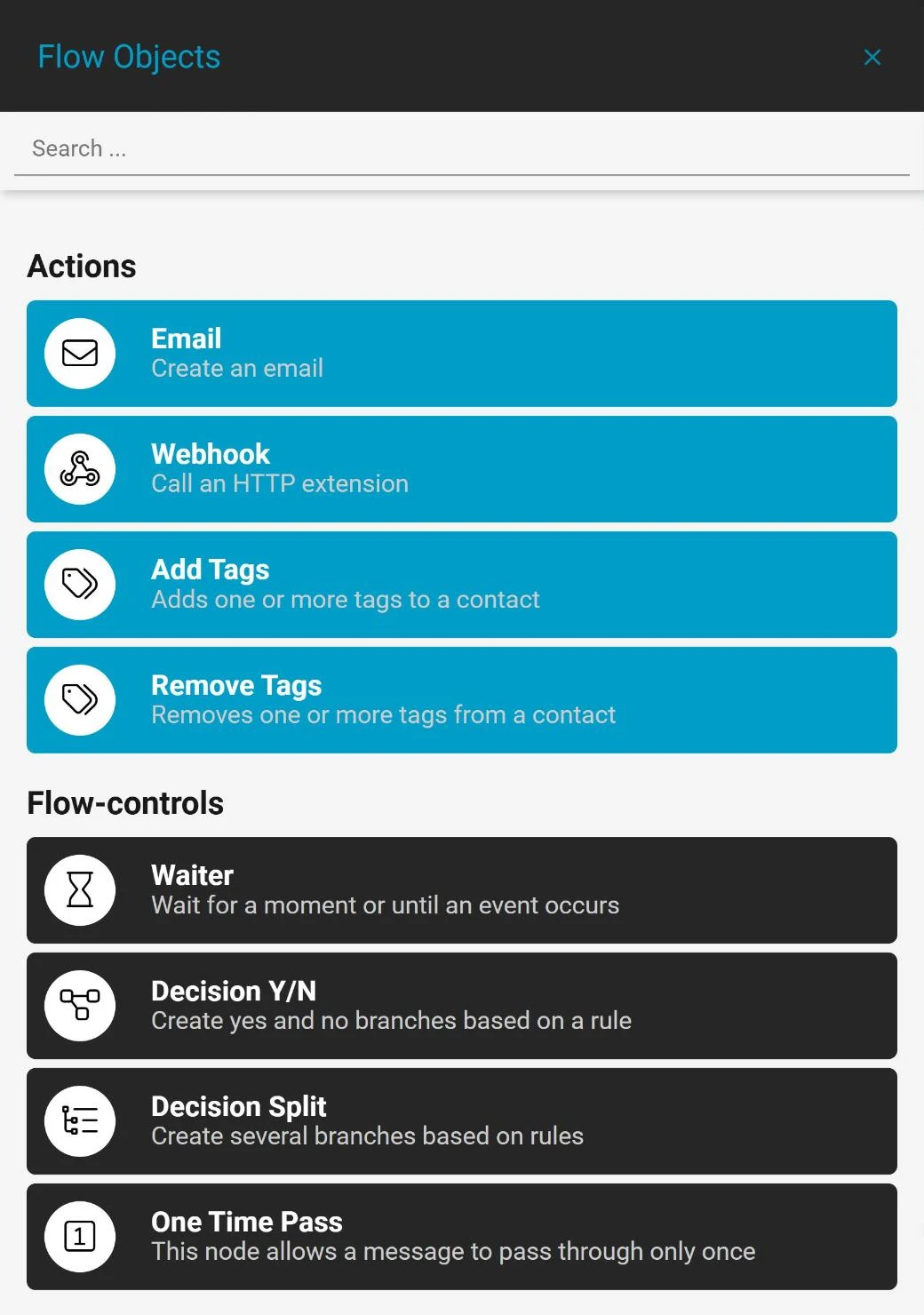
“Flow Objects” selection with Actions and Flow-controls
Building block settings
Clicking a node opens its form on the right-hand side. “Save” applies the settings to the workflow; the workflow itself is only saved with “Save” at the top left.
When you move the mouse over a node, a pencil icon (edit) and a bin icon (remove) appear next to it. When you remove a node, the MAS asks for confirmation with “Remove node from workflow”: “This node only” removes only the node, “This node and all children” also removes all nodes below it. If the node has several branches, e.g. a “Decision Split”, you choose under “Select a branch” which branch is kept.
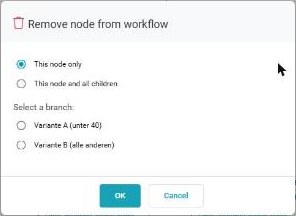
“Remove node from workflow” confirmation when removing a Decision Split
Email: the node has the “Settings” and “Design” tabs like a mailing (see “E-Mail Settings”): name (“E-Mail Campaign Name”), subject, sender and, under “Additional Options”, also “Send with high priority” and “Enable send time optimization” (sending to each recipient at their probable best opening time on the same day). In the “Design” tab, you select the template under “Template Selection”; below it, “Template Preview” shows a preview.
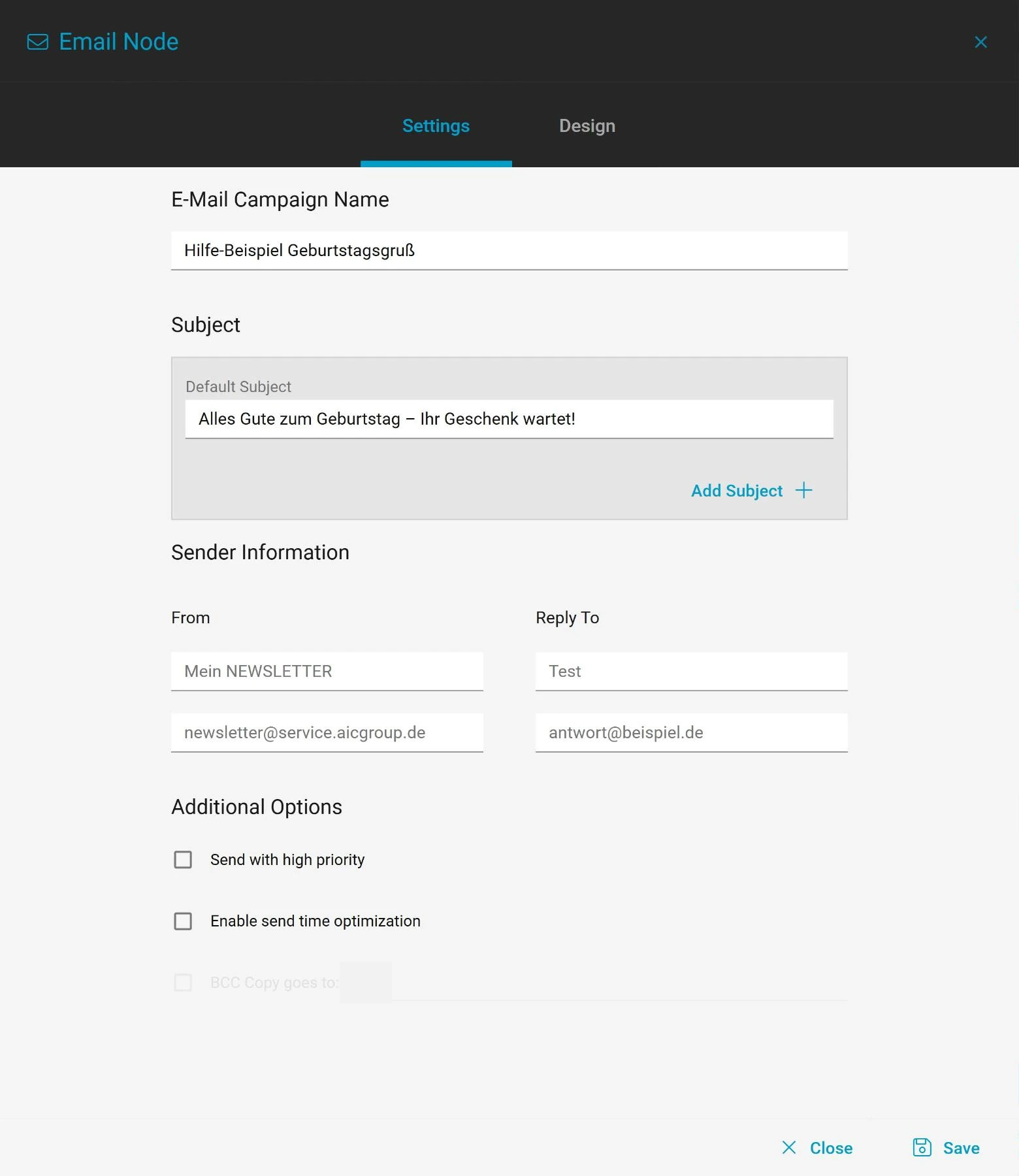
Email node, “Settings” tab
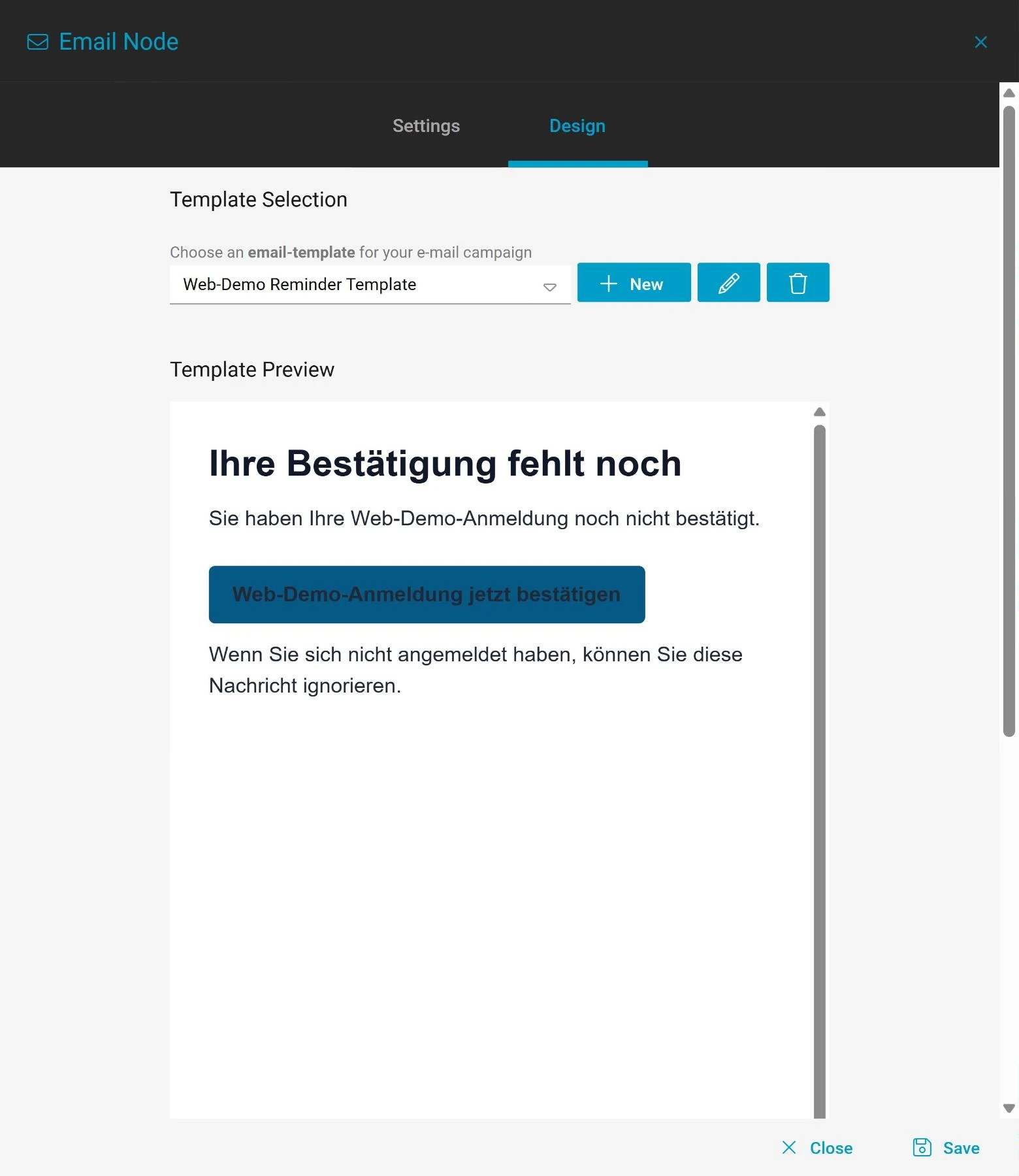
Email node, “Design” tab with template selection
Waiter: under “Create a delay between two actions”, you select the type of delay: “Time Delay” (fixed duration in Days, Hours and Minutes), “Scheduled Delay” (until a specific date and time) or “Channel Event” (until a specific event occurs).
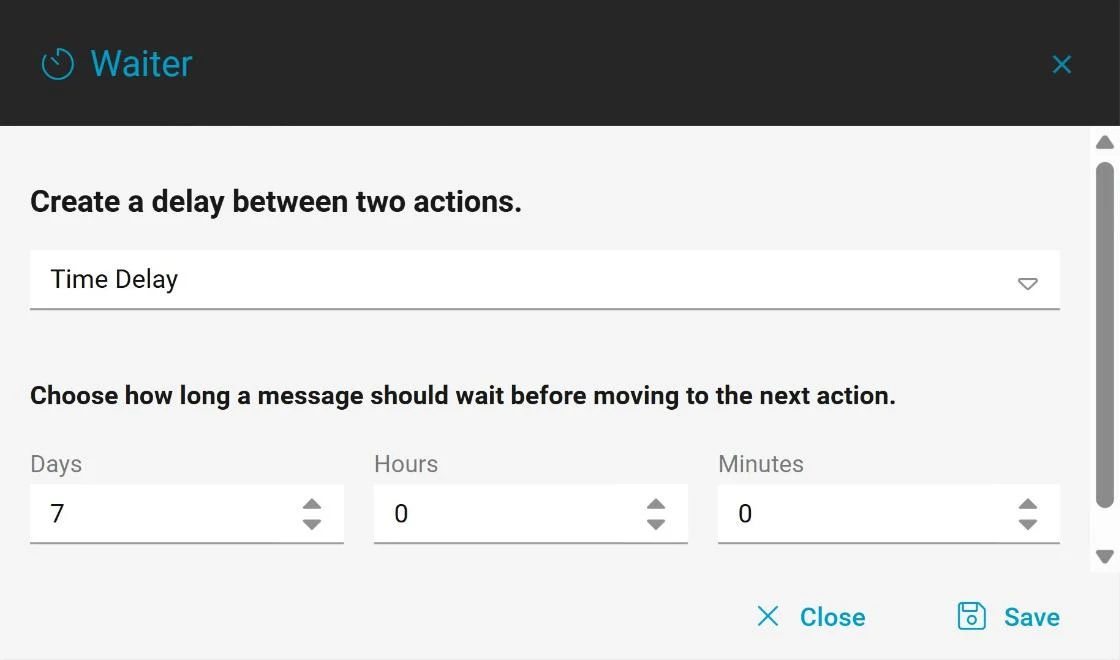
“Waiter” form with “Time Delay”
Decision Split: under “Label this decision split to identify it”, you enter a label. For each branch (“Match Case”), you define a name and rules; “+ Add” adds a rule on a contact field (CONTACT), e.g. “Alter – Less – 40” (age less than 40). “Add branch” adds further branches. Contacts to which no rule applies go into the “Default branch”. The Decision Split does not offer a random split, such as 50/50 for an A/B test.
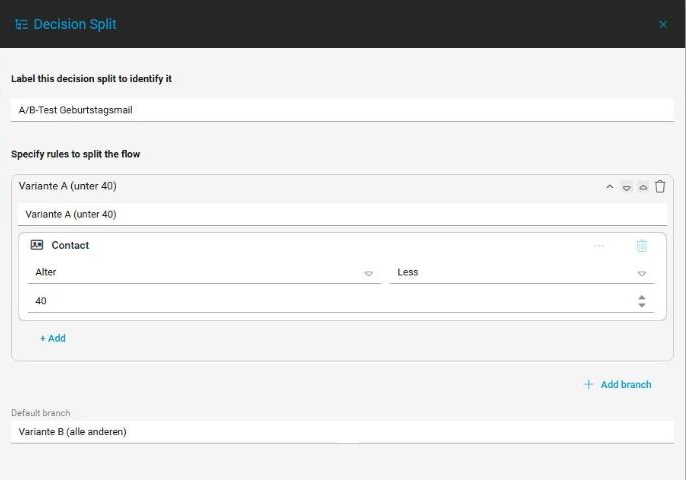
“Decision Split” form with one rule and the default branch
The “Post-Purchase-Lifecycle” workflow starts with the “Incoming Event” trigger (listens to /kaufAbgeschlossen), waits 3 days, sends the email “Putzen, aber richtig” (cleaning, but properly), waits 7 days and sends the email “Ergänzung” (add-on). A “Decision Y/N” node then checks whether a purchase was made in the last 7 days and, depending on the result, sets the tag “zubehoer_gekauft” or “zubehoer_offen”.




